HTML Minifier: Reduce File Size & Improve Website Speed (Complete Guide)
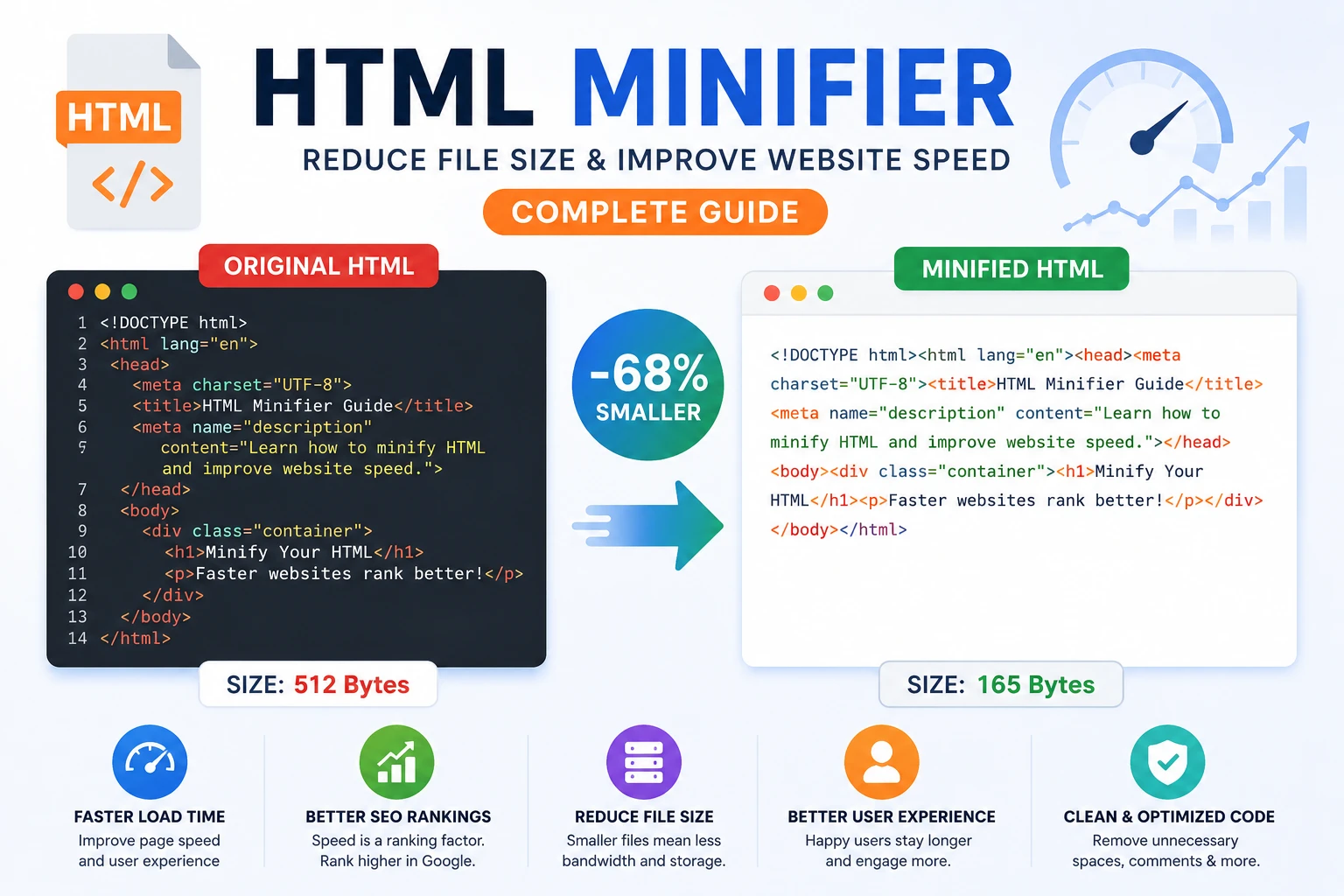
Minifying HTML is one of the easiest and most effective ways to improve your website’s performance. In this complete guide, you will learn how HTML minification works, why it matters for SEO, and how to apply it correctly to achieve faster load times and better rankings.
Minify Your HTML Instantly
Reduce your HTML file size and improve loading speed in seconds.
Use HTML MinifierWhat is HTML Minification?
HTML minification is the process of removing unnecessary characters from your HTML code without changing its functionality. These characters include spaces, line breaks, comments, and redundant attributes that are useful for developers but not needed by browsers.
When a browser loads a webpage, it only cares about the structure and content of the HTML. By removing extra characters, you reduce the file size, making the page load faster.
This process is especially important for modern websites where performance directly impacts user experience and search engine rankings.
Why Minifying HTML is Important
- ✔ Reduces HTML file size significantly
- ✔ Improves page loading speed
- ✔ Enhances mobile performance
- ✔ Reduces bandwidth usage
- ✔ Boosts SEO rankings
Speed is one of the most critical factors in web performance. Users expect websites to load in under 3 seconds. If your site is slow, visitors leave quickly, increasing bounce rates and negatively affecting SEO.
Minification helps ensure your site loads as fast as possible by delivering lightweight code to the browser.
Before vs After Minification
Original HTML:
<div>
    <h1>Hello World</h1>
</div>
Minified HTML:
<div><h1>Hello World</h1></div>
Even though the difference looks small, when applied to large files, the reduction in size can be substantial and impactful.
How to Minify HTML (Step-by-Step)
- Copy your HTML code
- Paste it into a minifier tool
- Click the minify button
- Download or copy the optimized code
Best Practices for HTML Minification
- Remove comments and unnecessary whitespace
- Keep original code readable during development
- Minify only in production environment
- Use automated build tools if possible
- Always test after minification
Following best practices ensures that your website remains functional while benefiting from improved performance.
Common Mistakes to Avoid
- Breaking HTML structure accidentally
- Removing required spaces inside inline elements
- Not testing across browsers
- Minifying during development (hard to debug)
Always validate your code after minification to avoid unexpected layout or functionality issues.
HTML Minification vs Compression
Minification and compression are often confused, but they serve different purposes in web optimization.
- Minification: removes unnecessary characters from the code
- Compression: reduces file size using algorithms like GZIP or Brotli
For maximum performance, both techniques should be used together. Minification reduces the size of the source code, while compression reduces the size during transmission.
How HTML Minification Improves SEO
Website speed is a confirmed Google ranking factor. Faster websites provide better user experiences, which leads to improved engagement, longer session duration, and lower bounce rates.
Minified HTML loads faster, especially on mobile devices and slower networks. This directly contributes to better Core Web Vitals scores.
Additionally, smaller files reduce server load and bandwidth usage, making your website more scalable and efficient.
Advanced Optimization Tips
If you want to take your performance to the next level, combine HTML minification with these techniques:
- Use CSS and JavaScript minification
- Enable GZIP or Brotli compression
- Optimize images using WebP format
- Use a Content Delivery Network (CDN)
- Implement lazy loading for media
These optimizations work together to create a fast, efficient, and SEO-friendly website.
FAQ
Is HTML minification safe?
Yes, if done correctly, it does not affect functionality.
Does minification improve SEO?
Yes, faster websites tend to rank higher in search results.
Should I minify during development?
No, only minify for production environments.
Conclusion
HTML minification is a simple yet powerful technique to improve website speed and SEO performance. By removing unnecessary characters, you make your website faster, lighter, and more efficient.
Combined with other optimization strategies, it can significantly enhance user experience and search engine rankings.
Start optimizing your code today using our free tools and take your website performance to the next level.