URL Slug vs Permalink: What’s the Difference?
The main difference between a URL slug and a permalink is that a permalink is the full URL, while a slug is just the last part of it.
This guide explains both concepts in a simple way with examples.
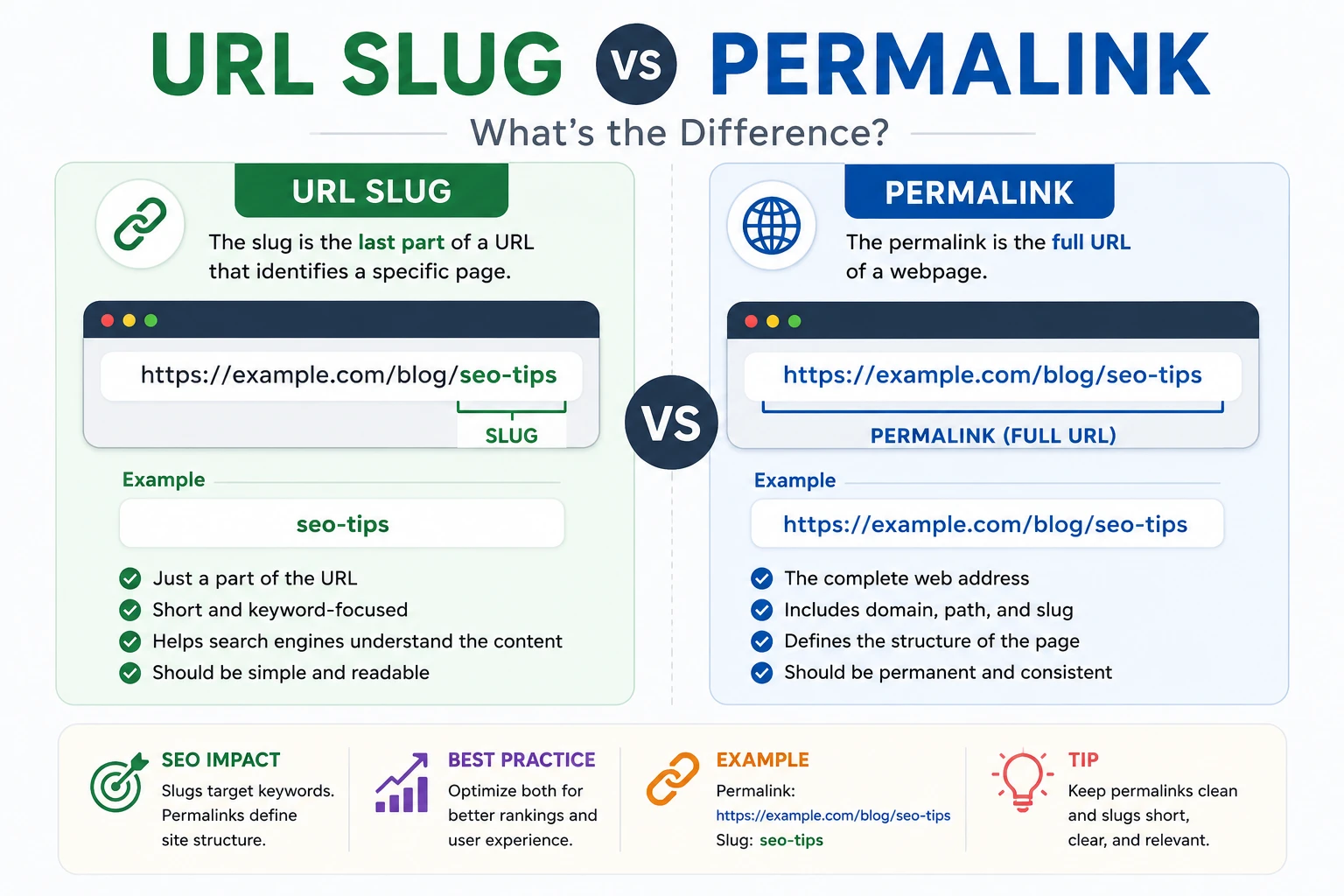
What is a Permalink?
A permalink (short for "permanent link") is the complete URL of a webpage. It is designed to remain unchanged over time.
Example:
https://example.com/blog/what-is-a-slug
This entire URL is the permalink.
What is a URL Slug?
A URL slug is the last part of the URL that identifies a specific page.
Example:
Permalink: https://example.com/blog/what-is-a-slug
The slug is: what-is-a-slug
Slug vs Permalink (Key Differences)
| Feature | Permalink | Slug |
|---|---|---|
| Definition | Full URL of a page | Last part of the URL |
| Example | https://example.com/blog/seo-tips | seo-tips |
| Scope | Entire web address | Only a segment |
| SEO Role | Structure & hierarchy | Keyword optimization |
Why This Difference Matters for SEO
Understanding the difference helps you optimize URLs correctly.
- Permalinks define site structure
- Slugs target specific keywords
- Both impact rankings and CTR
For best results, both should be clean and descriptive.
Best Practices for Permalinks
- Keep URLs short and simple
- Avoid unnecessary parameters
- Use a logical folder structure
- Make them permanent (avoid changes)
Best Practices for Slugs
- Use your main keyword
- Keep it between 3–6 words
- Use hyphens (-)
- Avoid special characters
- Use lowercase letters
👉 Generate SEO-friendly slugs here
Common Mistakes
- Changing permalinks after publishing
- Using long and confusing slugs
- Adding dates unnecessarily
- Using IDs instead of keywords
FAQ
Is a slug the same as a permalink?
No, a slug is only a part of a permalink.
Which is more important for SEO?
Both are important. Permalinks define structure, slugs define keywords.
Can I change a slug without affecting SEO?
Yes, but you must use redirects to avoid losing rankings.
Conclusion
The permalink is the full address of your page, while the slug is the part that describes the content. Optimizing both helps improve SEO and user experience.
Use clean, keyword-focused slugs and stable permalink structures for the best results.