How to Create SEO-Friendly URLs (Step-by-Step Guide with Examples)
Creating SEO-friendly URLs is one of the easiest ways to improve your rankings and click-through rate without technical complexity.
In this guide, you'll learn how to create optimized URLs step by step, with real examples, best practices, and common mistakes to avoid.
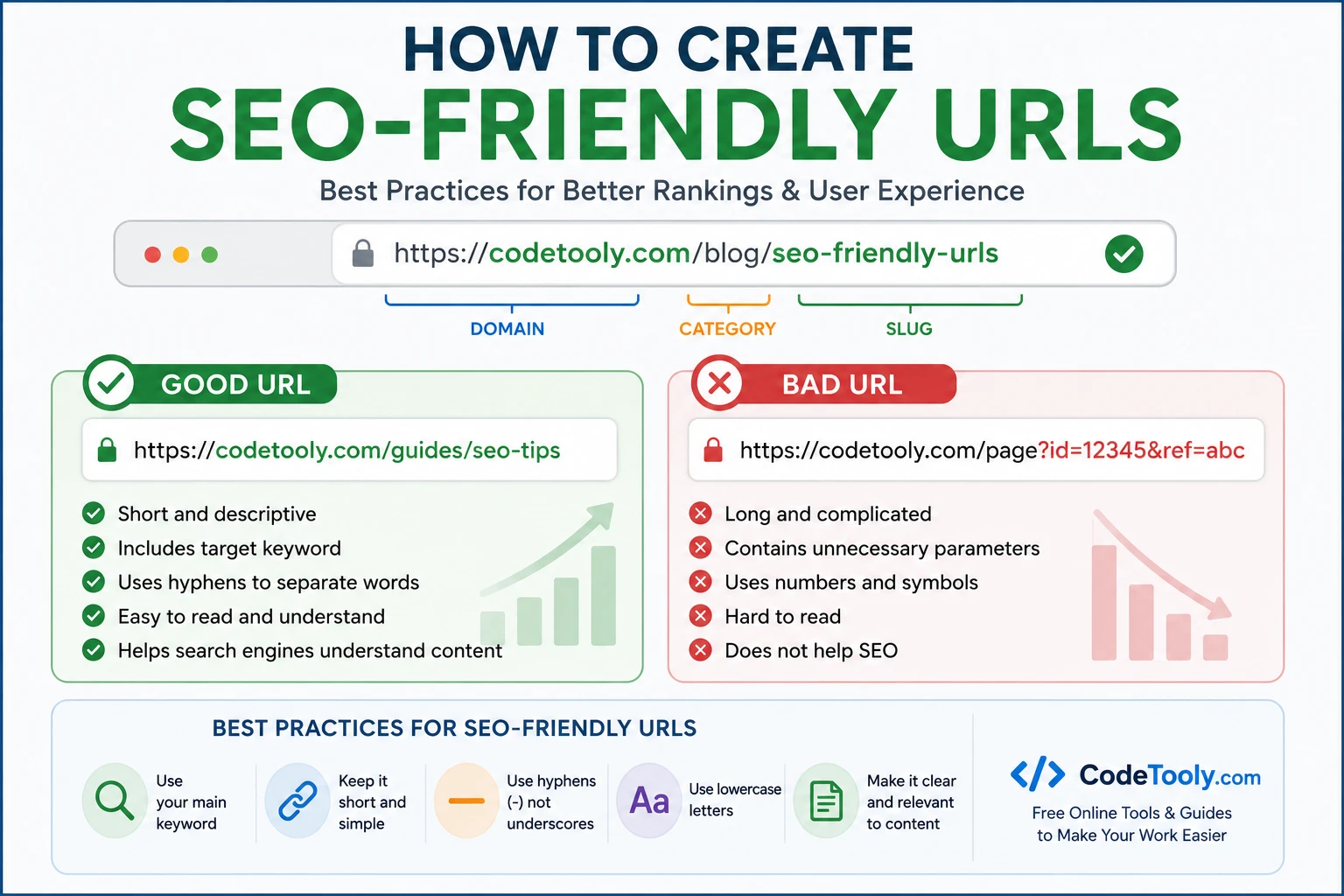
Table of Contents
- What Is an SEO-Friendly URL?
- Why URLs Matter for SEO
- Step-by-Step Guide
- Examples
- Common Mistakes
- FAQ
What Is an SEO-Friendly URL?
An SEO-friendly URL is a clean, readable web address that clearly describes the content of a page using relevant keywords.
Good example:
https://codetooly.com/guides/seo-friendly-urls
Bad example:
https://codetooly.com/page?id=12345
Why URLs Matter for SEO
- Help search engines understand page content
- Improve user experience and trust
- Increase click-through rates (CTR)
- Make links easier to share and remember
How to Create SEO-Friendly URLs (Step-by-Step)
1. Use Your Main Keyword
Always include your primary keyword in the URL so search engines understand the topic of your page.
2. Keep URLs Short and Focused
Short URLs perform better in search results and are easier for users to read and share.
3. Use Hyphens Instead of Underscores
Correct: seo-friendly-urls
Incorrect: seo_friendly_urls
4. Remove Stop Words
Avoid unnecessary words like "and", "the", or "of" to keep URLs clean and concise.
5. Avoid Special Characters
Do not use symbols like ?, =, %, or & in your URLs.
6. Use Lowercase Letters
Lowercase URLs prevent duplication issues and improve consistency.
7. Make URLs Readable
A user should understand what the page is about just by looking at the URL.
8. Keep a Logical Structure
Example: /guides/seo-friendly-urls
9. Avoid Keyword Stuffing
Do not overload URLs with keywords. Keep them natural and readable.
👉 Create SEO-friendly slugs instantly
Good vs Bad URL Examples
Good:
- /blog/seo-tips
- /guides/url-optimization
- /tools/slug-generator
Bad:
- /page?id=987
- /post_12345
- /seo-url-best-practices-2026-update
Best URL Structure for SEO
The ideal structure is simple and hierarchical:
https://domain.com/category/keyword
Example:
https://codetooly.com/guides/seo-friendly-urls
Common URL Mistakes
- Using long and complex URLs
- Keyword stuffing
- Using uppercase letters
- Changing URLs without redirects
- Adding dates unnecessarily (hurts evergreen content)
Frequently Asked Questions
Do URLs affect SEO rankings?
Yes, URLs help search engines understand your content and can improve click-through rates.
How long should a URL be?
Keep URLs as short as possible while still being descriptive. Ideally under 60 characters.
Should I include keywords in URLs?
Yes, including your main keyword improves relevance and visibility in search results.
Conclusion
SEO-friendly URLs are simple, readable, and keyword-focused. Optimizing them is a quick win that improves rankings and user experience over time.