URL Parameters SEO: What They Are & Best Practices
URL parameters can impact your SEO more than you think. If not handled correctly, they can cause duplicate content, crawl issues, and ranking problems.
In this guide, you'll learn what URL parameters are, how they work, and how to optimize them for better SEO performance.
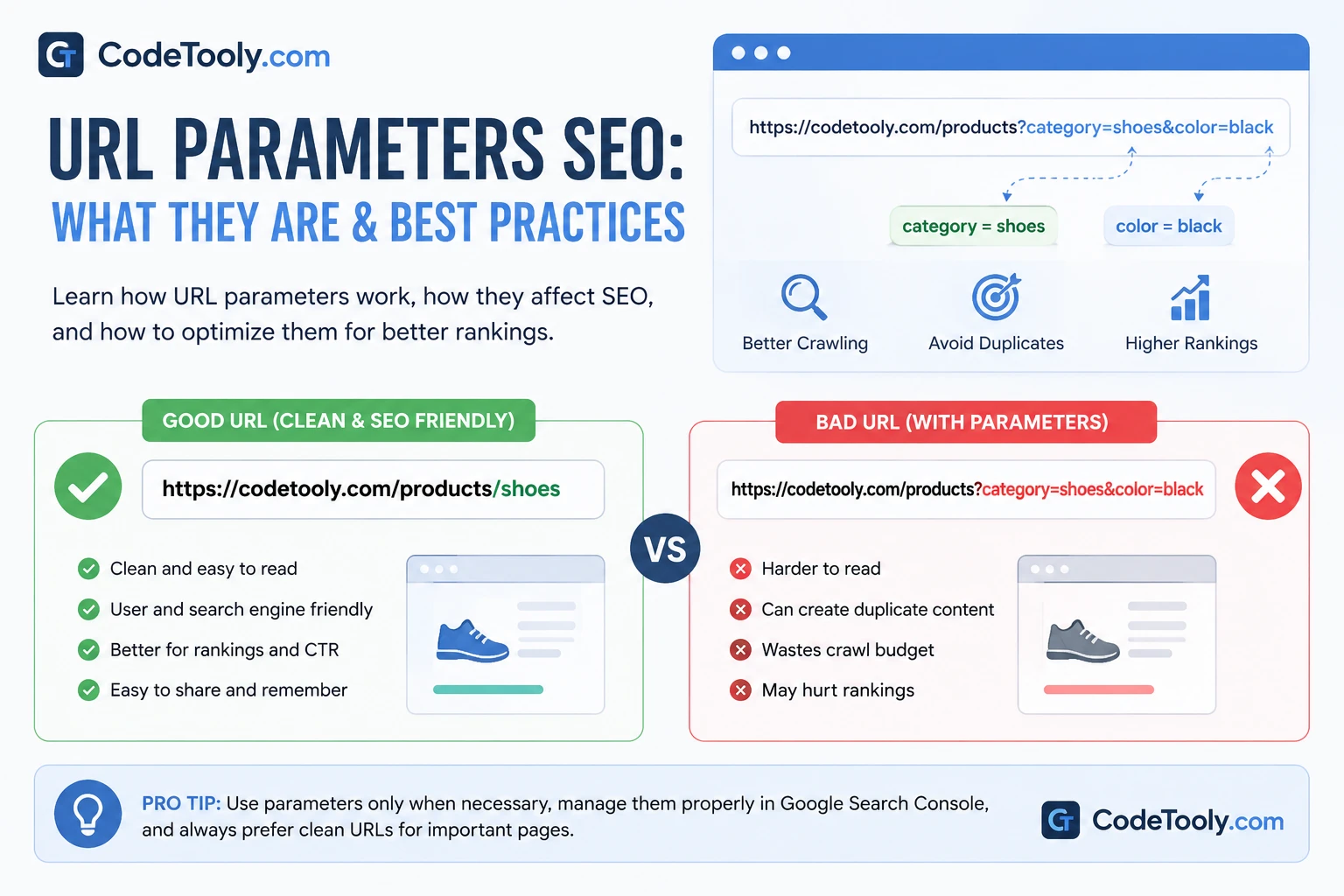
Table of Contents
What Are URL Parameters?
URL parameters are parts of a URL that come after a question mark (?) and are used to pass data.
Example:
https://example.com/products?category=shoes&color=black
They are commonly used for filtering, sorting, tracking, and pagination.
Common URL Parameter Examples
- ?category=shoes
- ?sort=price
- ?page=2
- ?utm_source=google
These parameters help websites dynamically display content without changing the main page URL.
How URL Parameters Affect SEO
- Can create duplicate content
- Waste crawl budget
- Confuse search engines
- Dilute ranking signals
For example, these URLs may show the same content:
/products?color=black
/products?color=black&utm_source=ads
URL Parameters SEO Best Practices
1. Use Parameters Only When Necessary
Avoid using parameters if a clean URL structure can achieve the same result.
2. Prevent Duplicate Content
Use canonical tags to point to the main version of a page.
3. Avoid Indexing Parameter URLs
Block unnecessary parameters via robots.txt or use noindex where appropriate.
4. Use Google Search Console Parameter Settings
Tell Google how to handle your URL parameters to avoid crawling issues.
5. Keep URLs Clean When Possible
Static URLs are generally better for SEO than dynamic ones.
6. Use Parameters for Tracking Only
Tracking parameters like UTM should not create indexable pages.
URL Parameters vs Clean URLs
With parameters:
/products?category=shoes
Clean URL:
/products/shoes
Clean URLs are easier to read, share, and optimize.
Common Mistakes
- Allowing all parameter URLs to be indexed
- Using parameters for permanent content
- Not using canonical tags
- Creating infinite URL combinations
Frequently Asked Questions
Are URL parameters bad for SEO?
Not always, but if misused they can cause duplicate content and crawling issues.
Should I remove URL parameters?
Only if they are unnecessary. Otherwise, manage them properly with SEO best practices.
Do parameters affect rankings?
Indirectly, yes. Poor handling can reduce SEO performance.
Conclusion
URL parameters are useful but must be handled carefully. Proper optimization helps avoid SEO issues and improves site performance.